
How Do I Check My BAOU Assignment Result Online? Portal and Passing Marks
BAOU students can check their assignment marks status online by entering their enrollment number. Assignments for Academic Year 2023 onwards are available for download, and must be submitted at the Learner Support Centre.
- BAOU assignment marks can be checked online using your enrollment number.
- Assignments for Academic Year 2023 onwards are available for download.
- Students must submit assignments at their designated Learner Support Centre.
- A minimum of 40% marks is required in each BAOU assignment.
- Contact your Learner Support Centre for “Not Submitted” or “Evaluation Pending” status.
Contents
Key facts
| Minimum Passing Marks | 40% in each head of passing |
|---|---|
| Assignment Submission Point | Learner Support Centre |
| Assignment Marks Entry By | Learner Support Centre |
| Assignment Download Availability | Academic Year 2023 onwards |
| Assignment Department Contact Person | Dr. Meena Rajput |
| Assignment Department Phone | 9898053480 |
How to Check BAOU Assignment Marks Online
BAOU students can check their assignment marks status online using their enrollment number.
The online portal displays the status for Assignment 01 (Asgmt-01) and Assignment 02 (Asgmt-02).
If your status shows “Not Submitted” or “Evaluation Pending”, you must contact your Learner Support Centre immediately.
The marks shown online are for reference only; the original university records are considered valid.
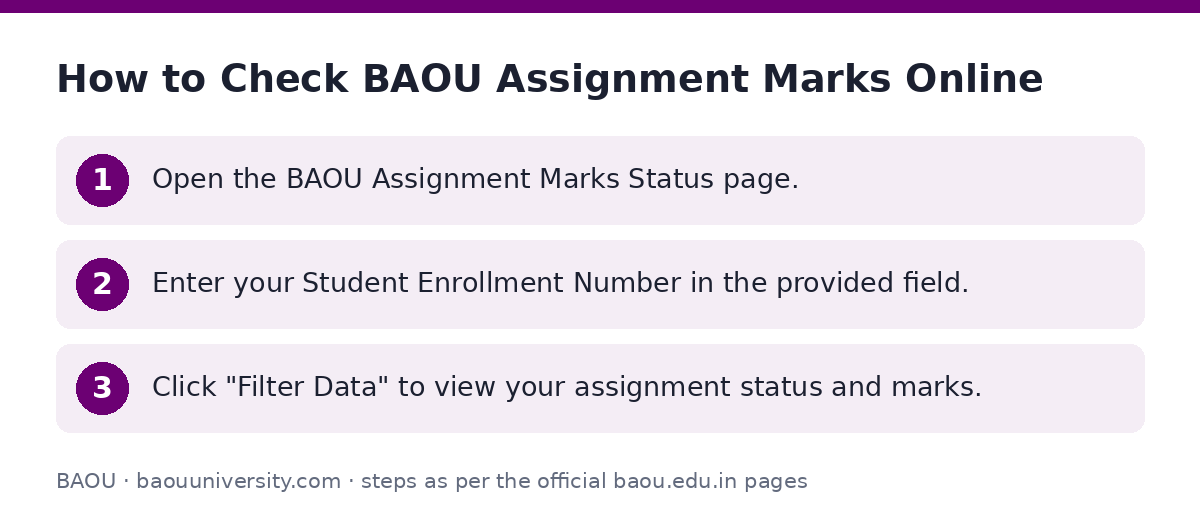
- Open the BAOU Assignment Marks Status page.
- Enter your Student Enrollment Number in the provided field.
- Click “Filter Data” to view your assignment status and marks.
How to Download BAOU Assignments
BAOU provides assignments for Academic Year 2023 onwards for online download.
Students need to select their course name, academic year, and subject/course code to find and download the correct assignment PDF.
- Go to the BAOU E-Assignment Download page.
- Select your Course Name from the dropdown list.
- Select the Academic Year from the dropdown list.
- Select the Subject/Course Code from the dropdown list.
- Download the assignment PDF for your selected course and subject.
Example BAOU Programmes with Online Assignments
| Programme Name |
|---|
| B.A.- BACHELOR OF ARTS |
| B.Com.- BACHELOR OF COMMERCE |
| MBA-Master of Business Administration |
| MCA-Master of Computer Application |
| BSCIT – Bachelor Of Science (Hons.)-Information Technology |
| MSW- MASTER IN SOCIAL WORK |
BAOU Assignment Submission Guidelines
BAOU students must submit their assignments at their designated Learner Support Centre.
Students admitted in 2026 must submit their assignments before their subject examination.
Assignments for each subject should be written in separate notebooks, not combined into a single one.
It is mandatory to attach the question paper when submitting your assignments.
Students who were admitted before August 2017 must write and submit 100-mark assignments.
Your Learner Support Centre is responsible for adding your assignment marks to the university records.
You can find a specific format for submitting assignments on the BAOU Assignment Submission Template PDF.
BAOU Assignment Passing Marks
Every BAOU candidate must secure a minimum of 40% marks in each head of passing.
This requirement applies to assignments as a component of the overall evaluation.
Contact for BAOU Assignment Queries
For any queries regarding assignments, students can contact the BAOU Assignment Department.
If your online assignment status shows “Not Submitted” or “Evaluation Pending”, you should contact your Learner Support Centre directly.
- Students can find contact details for their Learner Support Centers on the university website.
BAOU Assignment Department Contact Details
| Role | Name | Mobile / Telephone | Email ID |
|---|---|---|---|
| Assignment Department | Dr. Meena Rajput | 9898053480 | assignment@baou.edu.in |
Where to go on the BAOU site
| What you can do | Official page |
|---|---|
| Download BAOU assignments | studentinfo.baou.edu.in/Dp_assignment/check_home.aspx |
| Check BAOU assignment marks | studentinfo.baou.edu.in/admin/assign-statement.aspx |
| Find Learner Support Centers | baou.edu.in/showpage.aspx?contentid=32 |
Notices and documents from BAOU
- BAOU Assignment Submission Template PDF — BAOU Assignment Submission Template
Common questions
Where can students find BAOU assignments?
BAOU students can download assignments for Academic Year 2023 onwards from the BAOU E-Assignment Download page. You need to select your course, academic year, and subject code to find the relevant PDF.
How to submit BAOU assignments?
BAOU assignments must be submitted at the student’s designated Learner Support Centre. Students admitted in 2026 should submit them before their subject examination. It is mandatory to attach the question paper.
How do I check my BAOU assignment marks online?
You can check your BAOU assignment marks status online by visiting the Assignment Marks Status page. Enter your Student Enrollment Number and click “Filter Data” to view your status.
What is the passing mark for BAOU assignments?
BAOU requires every candidate to secure a minimum of 40% marks in each head of passing, which includes assignments.
Who enters BAOU assignment marks?
Your BAOU Learner Support Centre is responsible for adding your assignment marks to the university records after submission.
What should I do if my BAOU assignment status is “Not Submitted” or “Evaluation Pending”?
If your BAOU assignment status shows “Not Submitted” or “Evaluation Pending” on the online portal, you should immediately contact your Learner Support Centre for assistance.