
BAOU Student Login: Enrolment Number, ABC ID and DEB ID
BAOU students can log in to the Eklavya Student Support Portal using their Enrolment Number and Date of Birth. To obtain a DEB ID, students must first create an ABC ID through the BAOU portal using their Enrolment Number and Aadhaar details, then use the ABC ID on the UGC-DEB portal.
Key facts
| Eklavya Portal Login | Requires Enrolment Number and Date of Birth |
|---|---|
| ABC ID Creation | Requires Enrolment Number/Form Number and Aadhaar details |
| DEB ID Creation | Requires an existing ABC ID |
| Learner Support Centres | Facilitate admissions and document verification for learners |
BAOU Student Login: Eklavya Student Support Portal
The Eklavya Student Support Portal is available for Dr. Babasaheb Ambedkar Open University (BAOU) students to access various services.
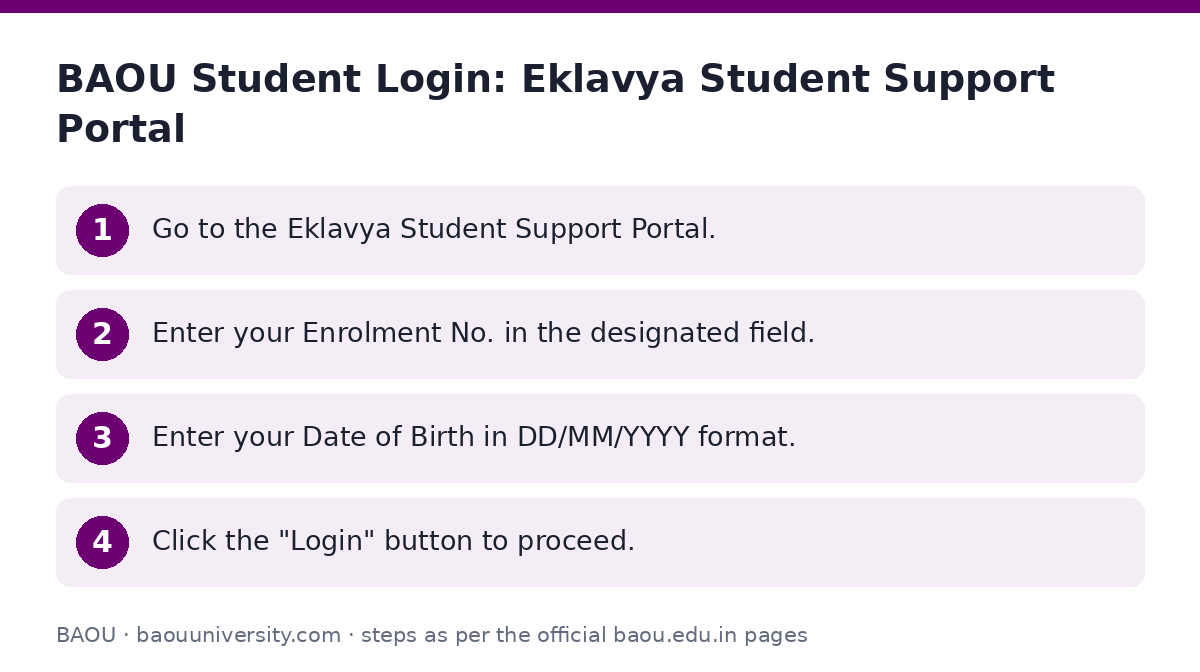
- Go to the Eklavya Student Support Portal.
- Enter your Enrolment No. in the designated field.
- Enter your Date of Birth in DD/MM/YYYY format.
- Click the “Login” button to proceed.
Academic Bank of Credits (ABC) ID Creation
BAOU students can create an Academic Bank of Credits (ABC) ID. While the specific purpose of the ABC ID for BAOU students is not detailed on the university’s site as of 02 October 2026, it is a prerequisite for creating a DEB ID.
Ensure you have your Aadhaar details and a valid mobile number and email ready before starting the process.
- Enrollment Number | Form Number
- Name as per Aadhaar
- Aadhaar Number (must be 12 digits)
- Date of Birth
- Gender (Male, Female, Other)
- Mobile as per Aadhaar (must be a valid 10-digit number)
- Visit the BAOU ABC ID registration page.
- Fill in the following required details:
- Enter the CAPTCHA code displayed on the page.
- Click the “Submit” button.
DEB ID Creation
Learners can create a DEB ID by registering themselves on the DEB portal. An existing ABC ID is required for this process.
- Go to the UGC-DEB portal for DEB ID creation.
- Enter your ABCID.
- Provide your Aadhaar Name.
- Enter your Birth Year.
- Select your Gender (Male, Female, Transgender).
- Indicate if a Provider is Present.
- Enter the Provider Name.
- Select a Provider Authentication Mode (PAN Card, Passport, UID, EPIC, Driving License).
- Enter the Provider Authentication ID.
- Fill in Consent Relation and Consent Place.
- Enter the displayed Captcha.
- Provide your Email and Mobile number.
- Check the “I Agree” box.
- Click the “Enter” or “Submit” button.
Correcting APAAR/ABC Card Details for DEB ID
If there are errors or missing details in your APAAR/ABC Card, you must correct them before proceeding to create or update your DEB ID. This ensures your information is accurate on the DEB portal.
- Step 1: Check Information – Review your APAAR card for any mistakes or missing details, such as your name, date of birth, or gender.
- Step 2: Report Issues – For any problems or discrepancies related to your ABC ID / APAAR ID, use the [[https://support.abc.gov.in/|ABC Support Ticket System]] or the DigiLocker app. Alternatively, you may contact the ABC support call center at 18008893511 for assistance.
- Step 3: Confirm Corrections – After making corrections, double-check that your APAAR card is up-to-date.
- Step 4: Proceed with DEB ID – Only after confirming the APAAR card is correct, proceed with creating or updating your DEB ID.
Learner Support Centre (LSC) Login
The “Center Login” option found on the BAOU website is intended for Learner Support Centre (LSC) staff and not for student direct login. Learner Support Centres function under the university’s guidance to provide information and facilitate learners in matters such as admission and document verification.
Other BAOU Online Portals
BAOU operates various online portals for specific functions. The “Online Degree Form” portal is designated for administrative login. Additionally, the Online Course Registration portal is available, but the specific student login fields for this portal are not detailed in the provided sources.
Important BAOU links
| What you can do | Official page |
|---|---|
| Access Eklavya Student Support Portal | learnerservices.baou.edu.in/BAOU-ERP/students/login.aspx |
| Create your ABC ID | support.baou.edu.in/UMS/Abc_id.aspx |
| Create your DEB ID | deb.ugc.ac.in/studentDEBID |
| Access Center Login (for LSC staff) | admission.baou.edu.in/post-admisssion/welcome.aspx |
| Access Online Course Registration portal | cms.baou.edu.in/NEW_SARTHI/Login_Instructions |
| Find Learner Support Centers details | baou.edu.in/showpage.aspx?contentid=6352 |
Official documents (PDF)
- Learner Support Centre Manual PDF — Manual for Learner Support Centres
Frequently asked questions
How do I log in to the BAOU student portal?
You can log in to the Eklavya Student Support Portal using your Enrolment Number and Date of Birth (DD/MM/YYYY).
What is an ABC ID and how do I create it?
An ABC ID is an Academic Bank of Credits ID. You can create it on the BAOU ABC ID registration page by providing your Enrolment Number/Form Number, Aadhaar details, date of birth, gender, mobile number, and email.
What is a DEB ID and how do I create it?
A DEB ID is a Distance Education Bureau ID. You create it on the UGC-DEB portal by registering with your ABC ID and other personal details like Aadhaar name, birth year, and authentication mode.
What if there are errors in my ABC/APAAR ID details?
If there are errors in your ABC/APAAR ID, you must correct them using the ABC Support Ticket System or DigiLocker app before creating or updating your DEB ID.
Can students log in to a Learner Support Centre portal?
No, the “Center Login” on the BAOU website is for Learner Support Centre staff, not for students. LSCs provide support and facilitate admissions for learners.
Sources
Written from the official BAOU pages and documents below, as read on 2 October 2026.
- Learner Support Centers baou.edu.in/…/showpage.aspx
- Learner Support Service baou.edu.in/…/showpage.aspx
- Eklavya “Student Support Portal” learnerservices.baou.edu.in/…/login.aspx
- Learner Support Centre Manual baou.edu.in/…/Learner-Support%20Centre-Manual.pdf
- DEB ID જનરેટ કરવા અહીં ક્લિક કરો deb.ugc.ac.in/…/studentDEBID
- ABC ID જનરેટ કરવા અહીં ક્લિક કરો support.baou.edu.in/…/Abc_id.aspx
- Learner Support Centre Details baou.edu.in/…/learner-support-centers
- Student Services baou.edu.in/…/showpage.aspx